Variablz Academy · Flagship Career Program

Become an Analytics Professional

One complete career program to learn Analytics tools, build real-world projects, choose the right career path, and continuously upgrade your skills as the industry evolves.

  • Enterprise-Grade Curriculum
  • Multiple Career Paths
  • Real-World Projects
  • Continuous Upgrades

Next batch

  • Morning BatchDate to be announced
  • Evening BatchMon, 2 Nov 2026 · 7:00 pm IST
Batch details
The Analytics ecosystem: Excel, SQL, Power BI, Tableau, Python, Statistics, Real-World Projects and AI, all connected through Analytics Professional

Watch first

What Is Analytics Professional?

A short walkthrough of the program, from the first tool to your first Analytics role.

The problem

One Tool Won’t Protect Your Career in the AI Era

AI is automating more routine single-tool work: formulas, basic queries, standard dashboards. Skills that depend on one tool are the easiest to automate. Many Analytics roles now ask for skills across the whole ecosystem: data, tools, analysis and AI, together.

  • Excel course
  • SQL course
  • Power BI course
  • Tableau course
  • Python course
  • Statistics course
  1. What should I learn first?
  2. Which tools do I actually need?
  3. Which combination is required for my target job?
  4. How do I apply these tools to real business problems?
  5. How do I keep up when AI changes the way analysts work?

Analytics Professional answers all of them in one place. One program that covers the whole ecosystem, shows you which skills matter for your target role, and gives you real projects to apply them.

Stage 1 of 3 Program fee

Learn Analytics Tools

Four months of structured, live learning that starts with your batch.

  • FeeThe only paid stage
  • Live Class4 months online
  • Recordings2 years access

The core idea

One Program. The Complete Analytics Ecosystem.

Analytics is not one tool. Modern analytics professionals work across spreadsheets, databases, BI platforms, programming, statistics, visualization and AI.

3 tracks 11 tools 102 modules AI in every track · 9 modules

Analytics Foundation

3 tools · 23 modules

Where every analyst starts: working with data, querying it and reasoning about it.

  • Microsoft Excel for Analytics8 modules
  • SQL Analytics7 modules
  • Advanced Statistics for Analytics8 modules

AI built in

  • AI-assisted Excel
  • AI-assisted SQL
  • AI-assisted statistical analysis

Business Intelligence

3 tools · 31 modules

Turn prepared data into models, measures and dashboards people use.

  • Power BI7 modules
  • DAX15 modules
  • Tableau Public9 modules

AI built in

  • AI-assisted Power BI
  • AI-assisted Tableau
  • AI-assisted visualization & storytelling

Python for Analytics

4 tools · 39 modules

Analyse, visualise and share data with code.

  • Python for Analytics12 modules
  • Data Analysis with Pandas & NumPy8 modules
  • Data Visualization with Matplotlib & Seaborn8 modules
  • Streamlit for Analytics Apps11 modules

AI built in

  • AI-assisted Python
  • Automated EDA
  • AI-powered analytics workflow

AI is part of every track and is updated continuously as new tools and capabilities reach the industry.

Stage 2 of 3 100% Free

Apply Real-World Projects

Once you’ve completed the tools, join live project sessions on weekday evenings and put them to work on realistic business problems.

  • FeeFree once your fee is fully paid
  • Live sessions8:30 pm IST, Monday to Friday
  • Join Projects1 year access
  • Recordings1 year access

Real-world projects

Learn Domain Based Projects

After learning the tools, apply them to realistic projects inspired by different industries.

Project Live Sessions 100% Free

You’re not limited to a set number of projects.

Join as many projects as you like

365 days to join any project, counted from the day you complete Stage 1.

Upcoming Live Projects

  • Starts 9 Nov 2026

    Marketing Analytics

    Learn how to turn marketing data into actionable insights that help organizations optimize campaigns, understand customers, and drive growth.

    Tools used
    • Microsoft Excel for Analytics
    • SQL Analytics
    • Power BI
    • DAX
  • Starts 30 Nov 2026

    Finance Analytics

    Turn financial data into actionable insights that support better financial planning, performance analysis, and business decisions.

    Tools used
    • Microsoft Excel for Analytics
    • SQL Analytics
    • Tableau Public
  • Starts 14 Dec 2026

    SCM Analytics

    Use supply chain data to identify inefficiencies, improve planning, and support smarter supply chain decisions.

    Tools used
    • Microsoft Excel for Analytics
    • SQL Analytics
    • Python for Analytics
  • Starts 4 Jan 2027

    Logistics Analytics

    Analyze logistics operations to improve delivery performance, resource utilization, and operational efficiency.

    Tools used
    • Microsoft Excel for Analytics
    • SQL Analytics
    • Power BI
    • DAX
  • Starts 25 Jan 2027

    IT Support Analytics

    Use support data to identify recurring issues, improve service performance, and optimize IT operations.

    Tools used
    • Microsoft Excel for Analytics
    • SQL Analytics
    • Tableau Public
  • Starts 15 Feb 2027

    Inventory Analytics

    Turn inventory data into insights that help maintain the right stock levels, reduce inefficiencies, and improve inventory decisions.

    Tools used
    • Microsoft Excel for Analytics
    • SQL Analytics
    • Python for Analytics
  • Starts 15 Mar 2027

    Customer Analytics

    Analyze customer data to understand behavior, improve customer experience, and support stronger retention and growth.

    Tools used
    • Microsoft Excel for Analytics
    • SQL Analytics
    • Power BI
    • DAX
  • Starts 5 Apr 2027

    E-commerce Analytics

    Turn online business data into insights that improve customer journeys, sales performance, and e-commerce growth.

    Tools used
    • SQL Analytics
    • Tableau Public
  • Starts 26 Apr 2027

    Healthcare Analytics

    Turn healthcare data into actionable insights that support operational efficiency, service quality, and better business decisions.

    Tools used
    • Microsoft Excel for Analytics
    • SQL Analytics
    • Python for Analytics
  • Starts 17 May 2027

    HR Analytics

    Use workforce data to understand employee trends, improve workforce planning, and support better people decisions.

    Tools used
    • Microsoft Excel for Analytics
    • SQL Analytics
    • Power BI
    • DAX
  • Starts 6 Jun 2027

    Retail Analytics

    Analyze sales, customers, products, inventory, and store performance to improve retail business decisions.

    Tools used
    • Microsoft Excel for Analytics
    • SQL Analytics
    • Tableau Public

The objective of this program is not to make you a Marketing Analyst or Finance Analyst. It is to build you into an Analytics Professional who can apply analytical skills across different business functions and industries.

Technical support

Help With Every Tool, for Life

A dedicated Discord technical community for your course questions. It starts on day 1 of your classes and stays with you after you complete the course.

  • From day 1 of class

    You join the community when your classes start, so help is there from your very first session.

  • Organised by tool

    Each tool has its own channel, so your question reaches the right place and past answers are easy to find.

  • Course-related Q&A

    Ask about concepts, errors, formulas, queries and code from the subjects you learned.

  • Lifetime access

    Keep asking after you complete the course, whenever a question about these tools comes up at work.

Variablz Technical Community on Discord

Tool channels

  • excelExcel
  • sqlSQL
  • power-biPower BI
  • tableauTableau
  • pythonPython
  • statisticsStatistics
  • ai-for-analyticsAI for Analytics
One channel for each tool you learn. Ask during the course and long after it.

Your certificate

Earn Professional Certificate

Aadhaar-verifiedMaster certificate

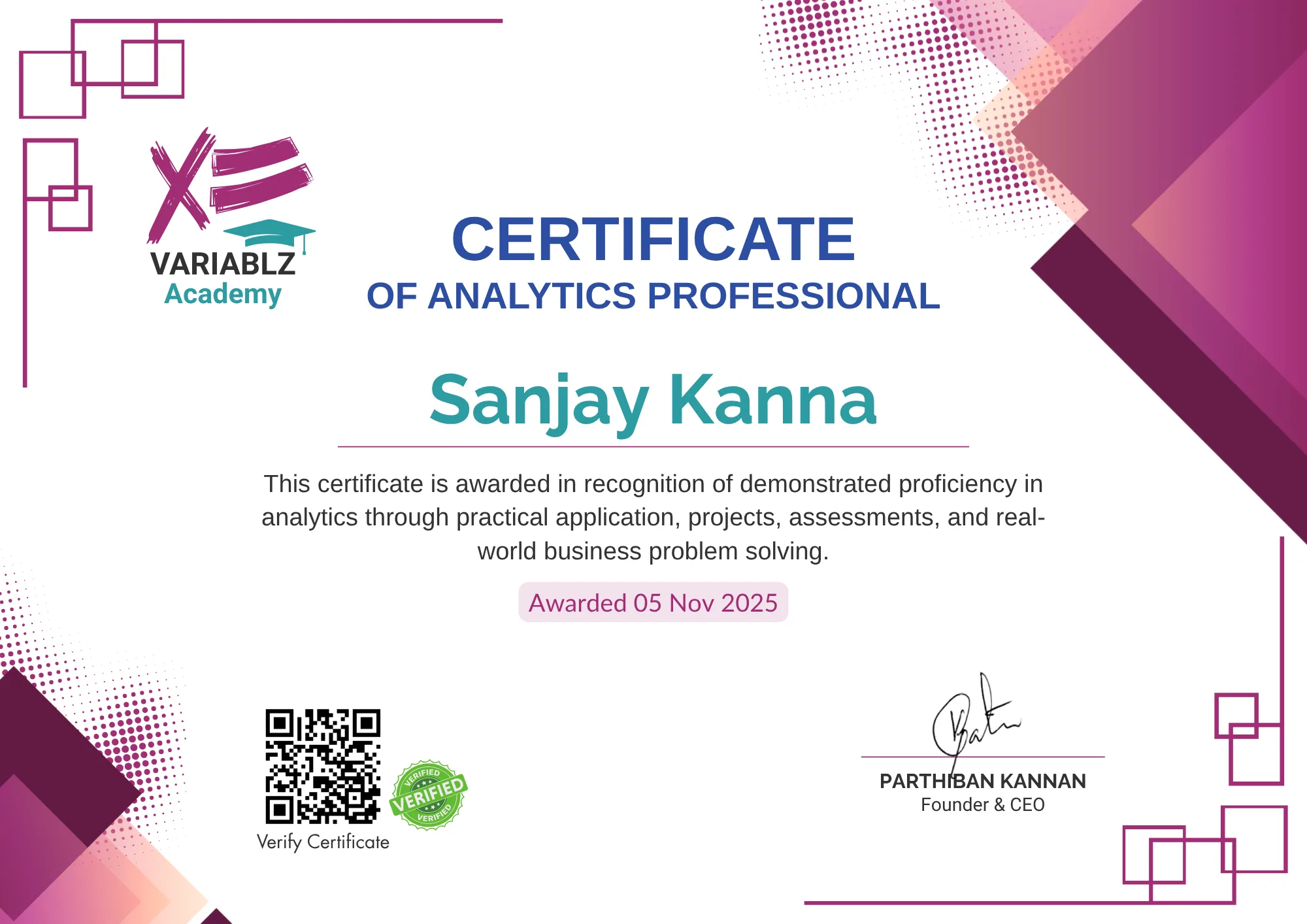
Analytics Professional Certificate

One certificate for the complete program, issued in your name and verified with your Aadhaar number. It shows employers you have worked across the whole Analytics ecosystem, not just one tool.

  1. All 11 toolscompleted
  2. 2 Real-World Projectspassed
  3. Program feefully paid

Issued once the whole program is complete. There are no separate certificates for individual tools.

Sample Analytics Professional CertificateView full size

Stage 3 of 3 100% Free

Get Placement Training

Live training to prepare your resume, interviews and job applications, one session at a time.

  • FeeFree for students who join
  • StartsOnce you complete Stage 1
  • Placement training6 live sessions, from resume to job applications
  • Mentoring3 individual 1:1 mentor sessions
  • Practice material1 year of access to problem-solving videos, plus common technical Q&A

Career opportunities

One Program. Skills for Eight Analytics Roles.

These roles usually ask for a mix of tools, not just one. Analytics Professional covers the tools they commonly list, so one program builds the skills for all of them.

  • Data Analyst

    Turn raw data into answers.

  • Business Analyst

    Connect business problems to data.

  • Power BI Developer

    Model data and ship Power BI reports.

  • BI Analyst

    Build the KPIs and dashboards teams run on.

  • Python Data Analyst

    Automate and scale analysis with code.

  • Tableau Developer

    Tell the story visually in Tableau.

  • Reporting / MIS Analyst

    Own the reports leaders check every week.

  • Analytics Specialist

    Apply analytics in any industry.

Why bet on one role? Learn once. Build skills for all eight.

  1. Learn Analytics Professional
  2. Build real projects
  3. Complete placement training
  4. Apply for roles that fit your skills

Placement training

From Resume to Job Applications

Free for every student who joins. Once you complete Stage 1, six live sessions prepare you to apply for Analytics roles: your resume, interview calls, coding and technical rounds, and applying on job portals.

  1. Live session 01

    Prepare

    Resume Building & Review

    Build an Analytics resume around your projects, then have it reviewed.

    • Analytics-focused resume structure
    • Presenting your projects
    • Resume review and feedback
  2. Live session 02

    Interview skills

    Telephonic Interview Calls

    Learn how to speak on a screening call with a clear, confident story.

    • Introducing yourself
    • Explaining your projects briefly
    • Common screening questions
    • Common mistakes to avoid
  3. Live session 03

    Interview skills

    Coding Round Preparation

    Learn how to prepare for the SQL and Python tests Analytics roles use.

    • How to prepare for a coding round
    • SQL and Python problem practice
    • Access to problem-solving videos
  4. Live session 04

    Interview skills

    Technical Q&A

    Commonly asked technical interview questions, shared with you to revise from.

    • Commonly asked questions
    • Covers the tools in the program
    • Revise at your own pace
  5. Live session 05

    Apply

    ATS Score Check with Jobz

    Learn to check your resume’s ATS score in our Jobz app before you apply.

    • Using the Jobz app
    • Reading your ATS score
    • Improving your resume before applying
  6. Live session 06

    Apply

    Applying on Job Portals

    Learn how to find and apply for jobs on various job portals.

    • Choosing roles that fit your skills
    • Applying on job portals
    • Tracking your applications

Plus 3 Individual 1:1 Mentor Sessions 100% Free

Alongside the six live sessions, you get three one-to-one sessions with a mentor for personal guidance as you prepare and apply.

Who this is for

Built for People Who Want a Career in Analytics

  • College Students

    Build job-ready analytical skills before graduation.

  • Fresh Graduates

    Develop practical skills beyond academic knowledge.

  • Career Switchers

    Move into Analytics with a structured learning path.

  • Working Professionals

    Expand your existing skills and become more effective with data.

  • Non-IT Professionals

    Build practical analytics capability without needing a traditional programming background.

What makes this different

More Than a Collection of Courses

  • One Complete Program

    No need to buy separate courses for every analytics tool.

  • Skills for Many Roles

    One skill set covering the tools most Analytics roles ask for, so you’re not limited to one job title.

  • Real-World Projects

    Project learning for 1 year across multiple domains.

  • Enterprise-Grade Curriculum

    Modelled on the data scale, tool stack and reporting standards used in enterprise analytics teams.

  • Portfolio-Focused

    Build projects that demonstrate what you can actually do.

  • AI Integrated Tools

    AI is built into the tools you learn, and kept up to date as the industry changes.

One Platform for Your Analytics Career

Learn the tools. Build real-world projects. Choose your career path. Keep evolving with Analytics and AI.

  • Analytics Ecosystem
  • Free live project sessions
  • Free placement training
  • Continuous AI upgrades

Program fee

₹30,000

No Cost EMI 3 × ₹10,000

For EMI, call or WhatsApp +91 8122 383 083

Your Program Timeline

Choose your batch to see its dates and join the program.

  1. Stage 1 4 months

    Program fee

    Learn Analytics Tools

    2 Nov 2026 – 1 Mar 2027

    Recordings available until 1 Nov 2028

  2. Stage 2 1 year

    100% Free

    Apply Real-World Projects

    2 Mar 2027 – 1 Mar 2028

    Join any number of projects, 8:30 pm IST, Mon–Fri, plus recordings

  3. Stage 3 6 live sessions

    100% Free

    Get Placement Training

    From 2 Mar 2027

    Plus 3 individual 1:1 mentor sessions

  4. Support Lifetime

    100% Free

    Get Technical Support

    From 2 Nov 2026

    Discord community for course Q&A, by tool

Evening Batch Starts Mon, 2 Nov 2026 · 7:00 pm IST

Join Evening Batch

FAQ

Questions, Answered

Still deciding? Here’s what people ask most before joining.

Is this suitable for beginners?

Yes. The program starts with Analytics Foundations: analytical thinking, data types, business metrics and data cleaning, before any tool. No prior analytics experience is assumed.

Do I need programming experience?

No. Excel, SQL and BI tools don’t need a programming background, and Python is taught from the fundamentals when you reach it.

Why learn every tool instead of just one?

Because AI is making single-tool skills easier to automate. Knowing only Excel, SQL, Power BI, or Python may not be enough to stay valuable. Many roles need professionals who can extract data, analyze it, build insights, and turn those insights into business decisions.

That’s why this program focuses on the complete Analytics ecosystem — helping you build broader, AI-resilient analytical skills instead of becoming dependent on a single tool.

Which career roles can I target?

The program builds skills aligned with roles such as Data Analyst, Business Analyst, BI Analyst, Power BI Developer, Tableau Developer, Python Data Analyst, Reporting Analyst and MIS / Analytics roles. The program builds the skills and portfolio these roles look for.

Should I focus on Power BI or Tableau?

Both are covered. They solve similar problems, and the concepts (data modeling, calculations and dashboard design) carry over from one to the other. Look at the job listings for the roles you’re targeting and go deeper in the tool they ask for most.

Do I need Python for a Data Analyst role?

Python matters more for roles that involve larger datasets, automation or deeper statistical work, and it’s part of the program when you’re ready for it.

Will I work on real-world projects?

Yes. After learning the tools you apply them to realistic projects that follow the full workflow: business problem, data, cleaning, analysis, visualization, insights and recommendations.

Are the projects from different industries?

Yes: Sales, Marketing, Finance, Logistics, HR, Healthcare, Manufacturing, E-commerce, Customer and Operations. They’re project domains, not separate courses. The aim is to apply the same analytical skills across different business environments.

Will new AI tools be added?

Yes. Analytics Professional is an AI integrated course: as AI changes how analysts write SQL, clean data and build dashboards, it is built into the tools you learn.

How long is the program?

Stage 1, learning the tools, is 4 months of live online classes from your batch start date, with 2 years of access to the recordings. Stage 2, real-world projects, runs as live evening sessions at 8:30 pm IST, Monday to Friday: for 365 days from the day you complete Stage 1 you can join as many projects as you like, with 1 year of access to the recordings. Stage 3, placement training, also starts once you complete Stage 1: 6 live sessions plus 3 individual one-to-one mentor sessions. Technical support on our Discord community starts on day 1 of your classes and is for life.

How does placement training work?

Once you complete Stage 1, you join 6 live placement training sessions: building your resume and having it reviewed, speaking on telephonic interview calls, preparing for coding rounds (with access to problem-solving videos), commonly asked technical Q&A, checking your resume’s ATS score in our Jobz app before you apply, and applying for jobs on various job portals. You also get 3 individual one-to-one sessions with a mentor.

What is the technical support?

From day 1 of your classes you join our dedicated Discord technical community, with a channel for each tool (Excel, SQL, Power BI, Tableau, Python, Statistics and AI for Analytics). Ask your course-related questions there. Your access is for life, so you can keep asking questions about these subjects and tools even after you complete the course. It is free for every student who joins.

Can I get a refund?

Yes. You pay only for Stage 1 (Stages 2 and 3 and technical support are free), and refunds are pro-rata: email support@variablz.com from the address you joined with, and that day is your last day. The refund is the total fee paid, minus a daily charge (total fee ÷ 120) for each day from your batch start date to your last day, minus a 5% platform handling charge. It is paid within 15 days. The full Refund Policy is linked below the program fee.

When do I get my certificate?

You receive one Aadhaar-verified Analytics Professional certificate when you have completed all the tools, passed 2 Real-World Projects and paid the full program fee. There are no separate certificates for individual tools, and no certificate is issued if you withdraw from the program.

How does No Cost EMI work?

Each instalment is due within 30 days: the second within 30 days of your batch start date, and each later one within 30 days of the previous due date. If an instalment is missed, your course access is paused and a ₹1,000 late fee is added; access returns once both are paid. Live project sessions and the certificate open once the full fee is paid.

Can working professionals join?

Yes. The program is built for working professionals too, whether you want to move into Analytics or become more effective with the data you already use.