


Microsoft Power BI
This course is designed to transform you from a beginner into a confident Power BI user who can build professional dashboards and contribute to real business decisions using data.
What You'll Learn
- Introduction to Power BI
- Data Extraction
- Data Transformation
- Data Modeling
- Data Visualization
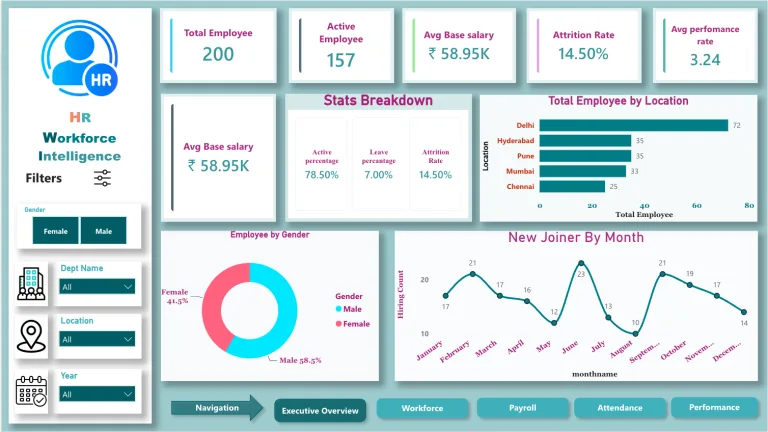
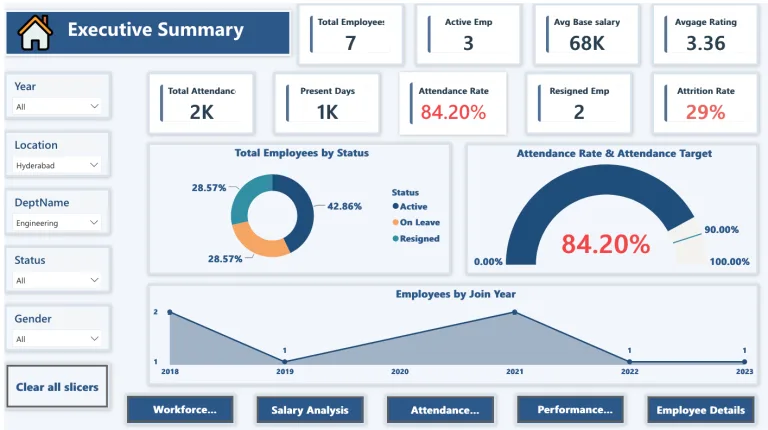
- Report & Dashboard Building
Requirements
- Basic Computer Operating Skills
- Power BI Installed on Computer
Tools & Technologies
Power BI
Who This Course is For
- Aspiring Data Analysts & Business Analysts
- Students entering the Data Analytics field
- Job seekers looking to build Power BI skills for interviews
- Working professionals who want to upgrade from Excel to Power BI
- Anyone interested in data visualization and business insights
Course Description
Master Power BI from beginner to advanced with this complete Tamil course. Learn data extraction, transformation using Power Query, data modeling with DAX, and build interactive dashboards and reports. Designed for Data Analyst and Business Analyst roles, this course helps you gain practical, job-ready skills in real-world data analytics.
Why Choose This Course
- Complete Beginner to Advanced coverage in one course
- Explained fully in Tamil for clear understanding
- Focus on practical, real-world use cases
- Helps you build job-ready dashboards and reports
- Designed specifically for career transition into Data Analytics
Course Curriculum
6 modules • 90 lessonsModule 1: Introduction to Power BI
- What do you learn from this Course? 2m 14s
- Introduction to Power BI 6m 58s
- Download Power BI 1m 46s
- Install Power BI 6m 25s
- Navigating to User Interface 5m 58s
Module 2: Data Extraction
- Manual Data Entry 6m 31s
- Load Data from Excel File 2m 31s
- Load Data from CSV File 4m 37s
- Load Data from XML File 2m 10s
- Load Data from PDF File 1m 23s
- Load Data from SQL Database 5m 29s
- Load Data from Web 2m 20s
- Load Data from Web API 9m 02s
Module 3: Data Transformation
- Power Query Editor 9m 09s
- Re-use the Data Model 5m 25s
- Manage Parameters 3m 57s
- Filtering Rows based on Number Column 5m 53s
- Filtering Rows based on Text Column 4m 19s
- Filtering Rows based on Date Column 6m 43s
- Advanced Filtering Using Logical Operations 6m 58s
- Manage Queries 7m 55s
- Manage Columns 2m 21s
- Keep or Remove Rows 4m 46s
- Handling duplicate values 3m 16s
- Remove Blank Rows (Null Values) 19s
- Handling Error Values 3m 04s
- Sort Data 2m 25s
- Split column by Delimiter 6m 31s
- Split column by Other Features 5m 09s
- Group Rows by Count 4m 32s
- Group Rows by Sum 2m 39s
- Group Rows by Average/Mean 53s
- Group Rows by Median 50s
- Group Rows by Min and Max 1m 41s
- Find duplicates inside Group 2m 24s
- Change Data Type 3m 23s
- Manage Headers 1m 12s
- Replace Values 2m 30s
- Append Queries 5m 22s
- Combine Files 3m 03s
- Merge Queries 7m 17s
- Merge All Types 10m 15s
- Transpose Rows and Columns 1m 08s
- Reverse Rows 44s
- Count Rows 1m 15s
- Rename Columns 33s
- Fill Neighbor Values 1m 10s
- Re-arranging the Columns 1m 05s
- Convert to List 1m 12s
- Text Formatting 3m 23s
- Text Extraction 4m 24s
- Statistics 3m 57s
- Math Operations 4m 39s
- Date Time Functions 4m 09s
- Execute R Script 2m 22s
- Execute Python Script 2m 29s
- Add Columns From Example 2m 29s
- Adding Custom Columns 1m 58s
- Adding Index Column 1m 26s
- Adding column by Custom Function 5m 01s
- Duplicating the Column 12s
- Adding Conditional Column 2m 35s
- View Operations 3m 32s
- Query Dependency 4m 31s
Module 4: Data Modeling
- Relationships in Data Model 11m 38s
- Measures and Calculated Column 8m 44s
- DAX Table 9m 12s
- Calculation Group 7m 24s
- Model Security 4m 02s
- Q&A Setup 8m 08s
Module 5: Data Visualization
- Bar and Column Charts 13m 44s
- Line and Area Charts 7m 24s
- Line and Stacked/Clustered Column Charts 2m 56s
- Ribbon Chart 1m 38s
- Waterfall Chart 3m 29s
- Funnel Chart 2m 31s
- Scatter Chart 5m 25s
- Pie and Donut Chart 6m 17s
- Treemap 2m 48s
- Map and Filled Map 4m 38s
- Gauge Chart 4m 08s
- KPI Metrics 1m 28s
- Cards and Slicers 8m 27s
- Table and Matrix 3m 58s
- Python Visualization 3m 41s
- Visualization using R Scripting 2m 02s
- Key Influencers 3m 04s
- Decomposition Tree 5m 55s
- Narrative 2m 36s
Module 6: Dashboard Building & Publishing
- Report Building & Publishing Dashboard u2014
Your Instructor
Parthiban Kannan
Co-founder & Manager
14+ years of experience in digital transformation, leading teams of 15+ members and delivering 160+ projects for organizations like Lakshmi Machine Works, Milacron, Schneider Electric, Aatomz Research, and Variablz Technologies. AI innovator with a patent approved by the Government of India, with strong expertise in Data Science, Data Analysis, Business Intelligence, and Software Development.
Frequently Asked Questions
Is this course suitable for beginners?
Yes, it starts from the basics and progresses to advanced Power BI concepts.
Do I need prior knowledge of Power BI or coding?
No, the course is designed for beginners. Basic Excel knowledge is helpful but not mandatory.
In which language is the course taught?
The entire course is explained in Tamil for easy understanding.
Will I learn Power Query and data transformation?
Yes, a major part of the course focuses on data cleaning and transformation using Power Query Editor.
Does this course cover DAX and data modeling?
Yes, you will learn DAX basics, calculated columns, measures, and data modeling concepts.
Will I be able to build dashboards after this course?
Yes, you will learn to create interactive reports and dashboards from scratch.
Is this course useful for Data Analyst jobs?
Absolutely, it covers job-relevant skills required for Data Analyst and Business Analyst roles.
What should I learn after completing this course?
You can move to advanced topics like SQL, advanced DAX, and real-time project-based analytics to strengthen your career.